


EU VAT & VIES Checker for WooCommerce
EU VAT number checks in your WooCommerce checkout. Clear rules, recorded decisions. Check VAT numbers through VIES without separate manual lookups. For supported cross-border EU goods orders, configure a separate VAT policy and keep relevant validation and tax-decision details with the order. A valid number alone does not qualify an order for 0% VAT.

EU VAT & VIES Checker for WooCommerce
From VAT number checks to clearer order information
Setup
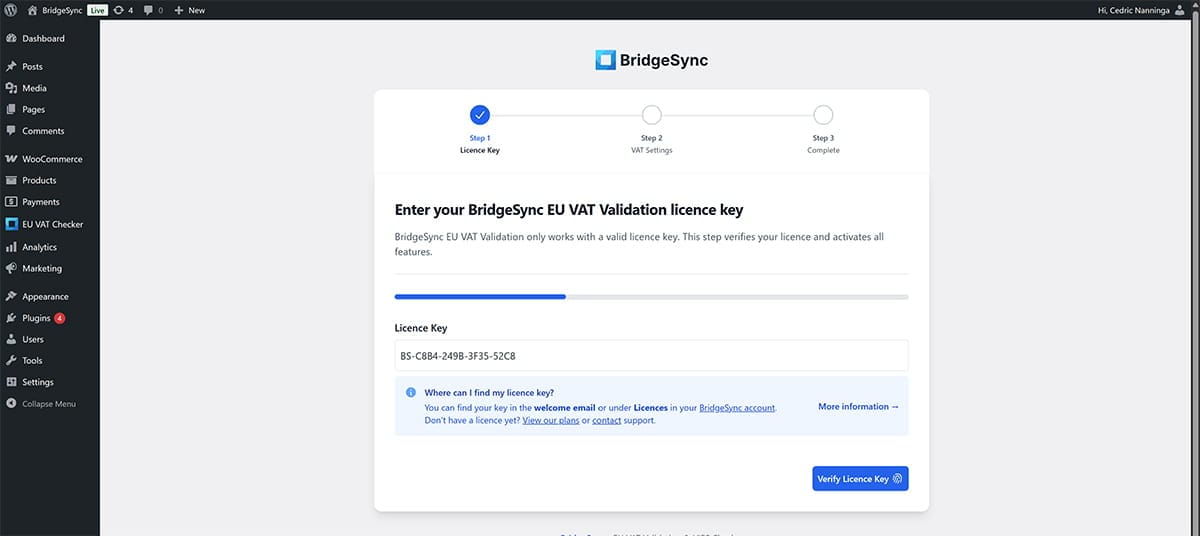
Start with guided license setup
The setup wizard guides license activation. Then review validation settings and, if your orders fit, explicitly configure and confirm the EU goods policy. Complete a checkout and order test before using it with customers.
Dashboard overview
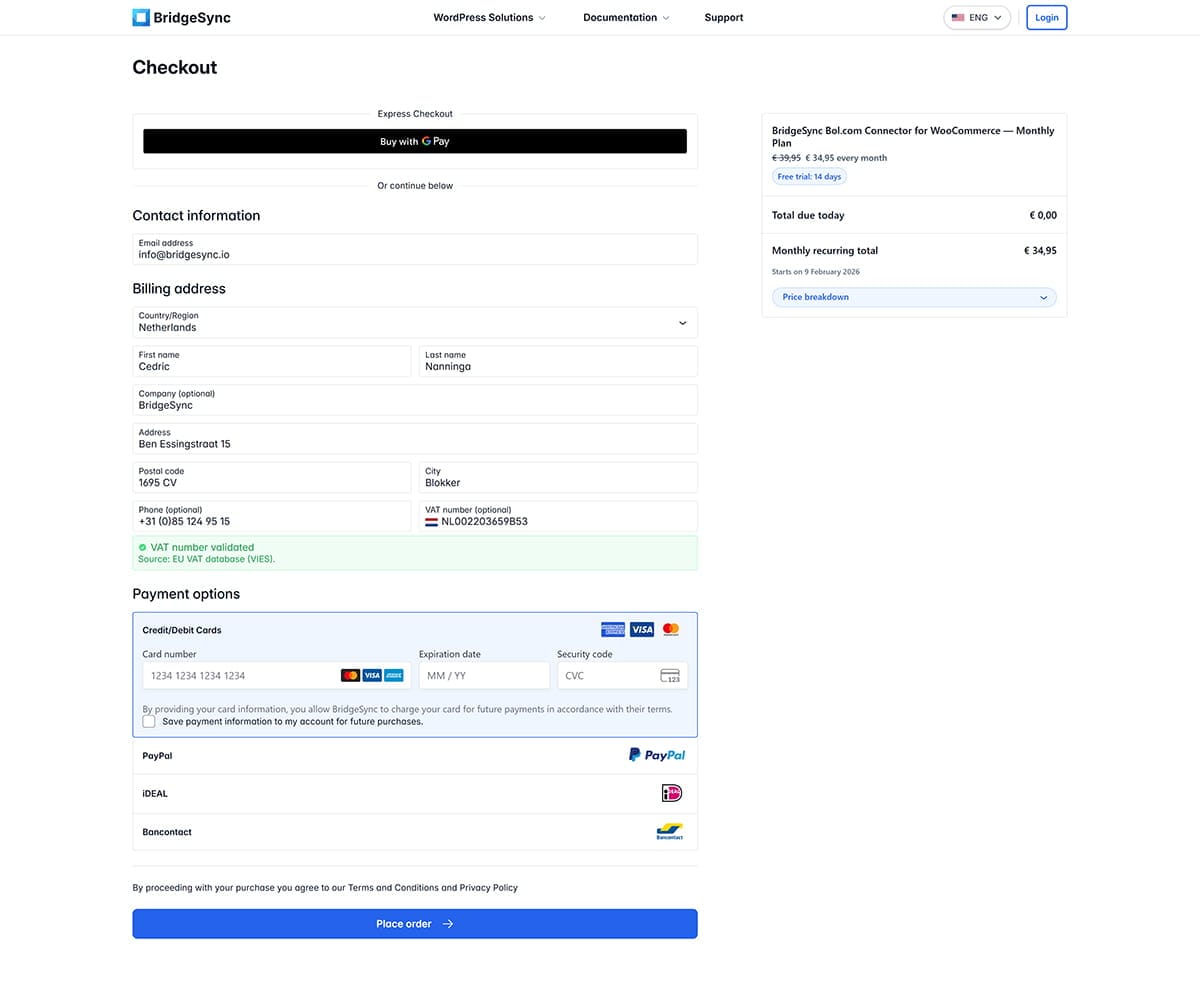
See connection and license status together
Review license status, environment checks and provider connectivity from the dashboard. Use these diagnostics to investigate issues; a successful connection check does not replace testing your checkout totals and order details.
Validation settings
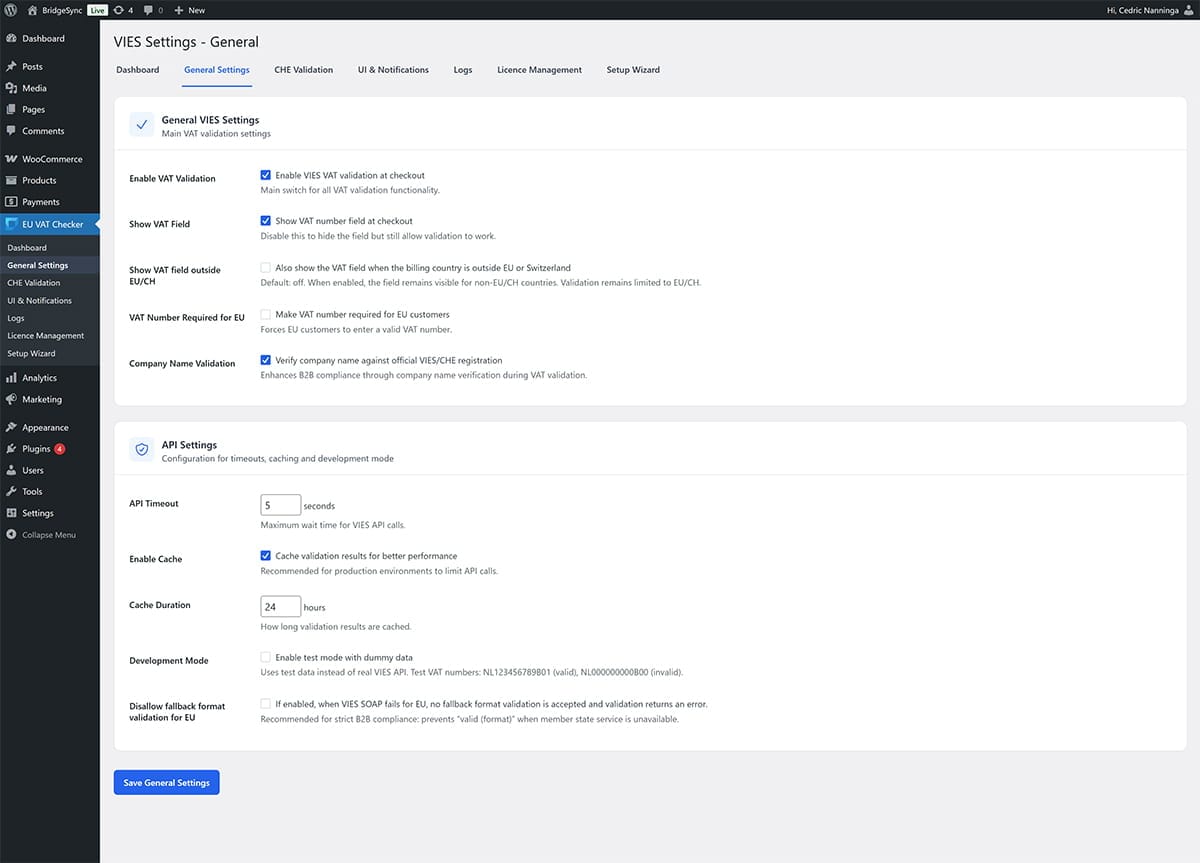
Make validation outcomes understandable
Review company name checks, timeout and cache settings. The VAT field can be left empty, but an entered invalid number blocks checkout in the default strict mode. An unavailable provider is a separate status, not an invalid number or a new VAT exemption.
Swiss UID checks
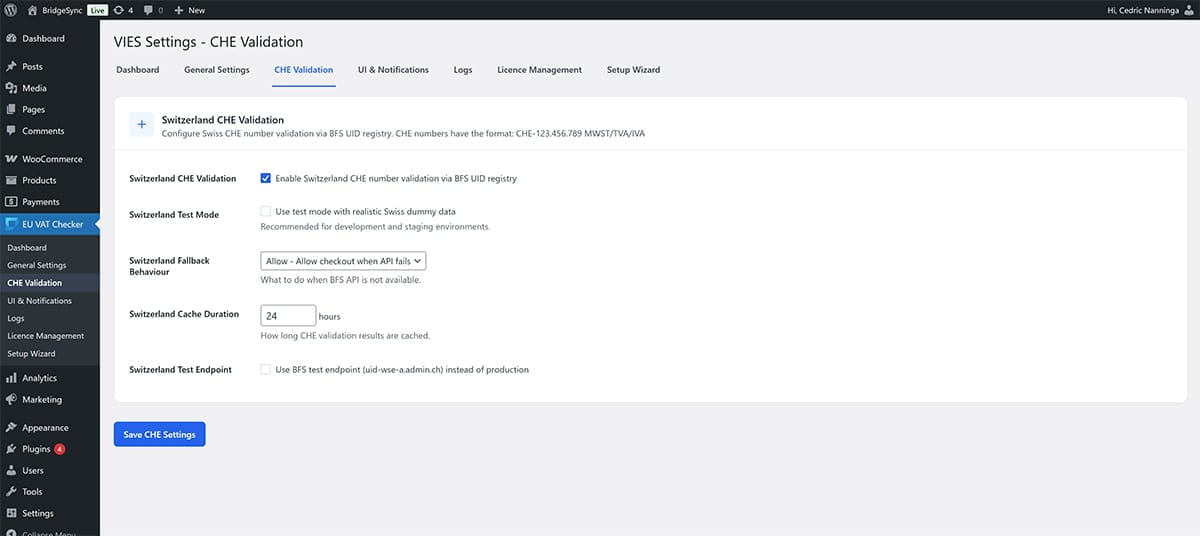
A separate use case from EU goods
Switzerland is not part of VIES. The plugin has a separate UID provider integration; a UID entry is not the same as active VAT registration. Confirm your Swiss use case with support before relying on it. Switzerland is outside the automatic EU goods policy.
Licensing
Keep track of your site activation
Enter your BridgeSync license key and review its activation status in the plugin. Choose a plan for the number of sites you manage. Install updates manually from the supplied ZIP using the installation guide.
Does this fit my store?
Physical goods, one EU dispatch origin
The automatic policy is for ordinary cross-border EU B2B goods orders containing physical simple or variation products. Configure one physical EU dispatch origin, including its postcode, and explicitly confirm the policy. Number validation remains separate from this tax decision.
Supported delivery methods
The automatic EU goods policy supports WooCommerce Flat rate (flat_rate) and Free shipping (free_shipping). Local pickup and other shipping methods fall outside it. Check the shipping methods and destinations used by your store before choosing this workflow.
Company details matter too
A valid VAT number alone is not enough for automatic 0% VAT. Company names are compared exactly after normalization, not with spelling tolerance. Missing or different register names can prevent eligibility, so check company and address details as part of setup.
Know which orders need a different approach
Domestic orders, exports, special territories, Cyprus (CY), Northern Ireland (XI) and Switzerland (CH) are outside the automatic policy. So are services, virtual products, subscriptions and mixed carts. Discuss these orders with your VAT adviser rather than treating a valid number as permission for 0%.
Integrations for Classic, Blocks and HPOS
The plugin includes Classic Checkout, Checkout Blocks, Store API and WooCommerce order-storage integrations. Test your own theme, extensions and order totals before launch; these integrations are not a promise that every combination has been tested.
Check requirements before setup
Published requirements are WordPress 6.5+, WooCommerce 9.0+, PHP 8.1+, SOAP, HTTPS and outgoing provider connections. Minimum versions are not a tested compatibility matrix. Check your environment and contact support if your store needs a different workflow.
Choose your EU VAT & VIES Checker plan
Choose a billing period for your store, or an agency plan for multiple client sites. Use the suitability check above to decide whether the EU goods workflow matches your orders.
Choose a plan to review its trial and billing details before ordering.
Here's a summary of what is included and unique about each subscription plan.
Monthly plan
One active site, all core features, billed monthly. Suited for individual stores.
$5.95 / monthly
Prices exclude local taxes, where applicable
See everything included- EU VAT number checks through VIES at checkout
- Separate, explicitly configured EU goods VAT policy
- Relevant validation and tax-decision details with the order
- Classic Checkout, Blocks and HPOS integrations
- Distinct valid, invalid and unavailable status messages
- Time-limited caching and debounced input checks
- Guided license activation and validation settings
- Provider connection checks and technical diagnostics
- Translation files for multilingual setup
- Documented setup with clear policy boundaries
Quarterly plan
The Quarterly Plan also provides all features for one site, covering a period of three months. Best for those who prefer quarterly billing cycles.
$14.95 / quarterly
Prices exclude local taxes, where applicable
See everything included- EU VAT number checks through VIES at checkout
- Separate, explicitly configured EU goods VAT policy
- Relevant validation and tax-decision details with the order
- Classic Checkout, Blocks and HPOS integrations
- Distinct valid, invalid and unavailable status messages
- Time-limited caching and debounced input checks
- Guided license activation and validation settings
- Provider connection checks and technical diagnostics
- Translation files for multilingual setup
- Documented setup with clear policy boundaries
Annual plan
The Annual Plan covers one site for a full year with all features. Competitive rate for long-term single-site use.
$49.95 / yearly
Prices exclude local taxes, where applicable
See everything included- EU VAT number checks through VIES at checkout
- Separate, explicitly configured EU goods VAT policy
- Relevant validation and tax-decision details with the order
- Classic Checkout, Blocks and HPOS integrations
- Distinct valid, invalid and unavailable status messages
- Time-limited caching and debounced input checks
- Guided license activation and validation settings
- Provider connection checks and technical diagnostics
- Translation files for multilingual setup
- Documented setup with clear policy boundaries
Agency plans for managing multiple client sites
One license activates VAT validation across all your client stores with clear site limits.
Agency Lite – Yearly
Activate VAT validation on up to 5 client sites
$99.95 per year
Prices exclude local taxes, where applicable
- Activate up to 5 client sites with one license
- EU VAT number checks through VIES at checkout
- Classic Checkout, Blocks and HPOS integrations
- Time-limited caching and debounced input checks
- Relevant validation and tax-decision details with the order
- Review license activation status in each client plugin
Agency Pro — Yearly
Activate VAT validation on up to 25 client sites
$179.95 per year
Prices exclude local taxes, where applicable
- You can activate up to 25 sites in total.
- EU VAT number checks through VIES at checkout
- Classic Checkout, Blocks and HPOS integrations
- Time-limited caching and debounced input checks
- Relevant validation and tax-decision details with the order
- Support scope follows your agency agreement
Review activation status in the BridgeSync License Manager. Follow the installation guide for manual ZIP updates, and agree any additional agency support requirements with us.
Everything included with every plan
All listed features are included. Choose the billing period and site limit that suit your store or agency.
- Site activation within the limit of your chosen plan
- Setup wizard guides you through license activation
- EU VAT number checks through VIES at checkout
- Separate status for provider unavailability
- Separate Swiss UID integration; confirm your use case first
- VAT number normalization and country-prefix checks
- Exact company name comparison after normalization
- Separate, explicitly configured EU goods VAT policy
- Eligibility checks beyond a valid VAT number
- Server-side VAT decisions used in checkout totals
- Clear status messages for every validation state
- Relevant validation and tax-decision details with the order
- WooCommerce CRUD order storage for HPOS integration
- Time-limited validation evidence
- Cache duration depends on the validation outcome
- Debounced input checks reduce repeated requests while typing
- Provider and request limits can temporarily pause checks
- No new VAT exemption solely because a provider is down
- Adjust text, background and border colors for status displays
- System status messages remain visible to customers
- Translation files for multilingual setup
- Dedicated dashboard shows settings, logs, and license status
- Environment and provider connection diagnostics
- Connection checks complement your checkout acceptance tests
- Technical logs support troubleshooting, not a full audit record
- License runtime guard with heartbeat monitoring
- Time-limited evidence is checked before VAT eligibility
- VAT number and country are sent to the validation provider
- Classic Checkout and Checkout Blocks adapters
- Shared server-side validation and VAT-policy decisions
- Test extensions and customizations with your own order flows
- Store API integration for block-based checkout
Prepare your multilingual checkout
Translation files are available for the locales below. Coverage can vary by release: check the checkout messages and admin screens in the languages your store uses before launch. This list is not a fully tested language matrix.
- Bulgarian (Bulgaria)
- Czech (Czechia)
- Danish (Denmark)
- German (Switzerland)
- German (Germany)
- Greek (Greece)
- English (UK)
- English (US)
- Spanish (Spain)
- Estonian (Estonia)
- Finnish (Finland)
- French (Switzerland)
- French (France)
- Croatian (Croatia)
- Hungarian (Hungary)
- Icelandic (Iceland)
- Italian (Switzerland)
- Italian (Italy)
- Luxembourgish (Luxembourg)
- Lithuanian (Lithuania)
- Latvian (Latvia)
- Maltese (Malta)
- Norwegian Bokmål (Norway)
- Dutch (Netherlands)
- Polish (Poland)
- Portuguese (Portugal)
- Romanian (Romania)
- Slovak (Slovakia)
- Slovenian (Slovenia)
- Swedish (Sweden)
- Irish (Ireland)
- Dutch (Belgium)
- French (Belgium)
- German (Austria)
- German (Luxembourg)
- French (Luxembourg)
- English (Ireland)
- English (Malta)
- Greek (Cyprus)
- Norwegian Nynorsk (Norway)
- Romansh (Switzerland)
- Catalan (Spain)
- Basque (Spain)
- Galician (Spain)
- Portuguese (Brazil)
Frequently asked questions
What happens if VIES is down or rate-limited?
The plugin treats provider unavailability separately from an invalid VAT number. A service outage does not grant a new VAT exemption. Without usable validation evidence and policy eligibility, normal WooCommerce VAT handling remains in place. Check the status and retry later; provider availability and response times are not guaranteed.
Does it work with WooCommerce Blocks and HPOS?
The plugin includes integrations for Classic Checkout, Checkout Blocks, Store API and HPOS through WooCommerce order APIs. That does not mean every theme, extension or version combination has been tested. Verify valid, invalid and unavailable checks, domestic orders and order totals in your own setup before launch.
Which countries are covered by validation and the VAT policy?
EU VAT numbers are checked through VIES. Northern Ireland (XI) has a VIES validation route but is outside the automatic goods policy; general GB/HMRC validation is not offered. Cyprus (CY), Switzerland (CH), special territories, domestic orders and exports are also outside that policy. Swiss UID checks use a separate integration: confirm the required use case with support. Norwegian VOEC and Icelandic register validation are not offered here.
How is logging handled, and what about privacy?
Relevant validation status, provider, timestamps and the separate VAT decision are saved with the order. Technical logs help with troubleshooting; they are not a complete record of every attempt or a full audit file. VAT number and country are sent to the relevant validation provider. Licensing, payment and support involve their own data flows; review the privacy policy and product documentation.
I've hit my activation limit — what should I do?
Check the activation status in the plugin and the site limit of your plan. Contact support to review unused activations or discuss a plan for more sites. Agency Lite covers up to 5 client sites and Agency Pro up to 25; additional support arrangements follow your agreement.
Is the plugin available in multiple languages?
The plugin includes translation files. Coverage can vary by release and screen, so check the actual checkout messages and admin screens in your required language. The locale list above is not a guarantee of complete translations or tested multilingual compatibility.
Does a valid VAT number always mean 0% VAT?
No. Validation and VAT eligibility are separate decisions. The automatic policy must be explicitly configured and confirmed for supported cross-border EU physical goods, dispatch origin, delivery method and company details. Domestic orders, services, subscriptions and mixed carts are outside it. You remain responsible for the VAT treatment and supporting records; ask your VAT adviser about your obligations.
What happens if a customer enters an invalid VAT number?
The VAT field can be left empty. If a customer enters an invalid number, the default strict mode blocks checkout until the number is corrected or removed. This is different from a provider outage and is not simply an instruction to apply standard VAT and continue.
Bring VAT number checks into your checkout
Start with your goods, shipping methods and company details. Choose a plan, configure the policy that fits, and test the checkout and order information before launch.